# How AI video translators work
> What an AI video translator does between upload and download, where it makes mistakes, and what to check before you publish a translated video.
Guide · Published 2026-11-08
Canonical page: https://dubtitle.com/guides/how-ai-video-translators-work/
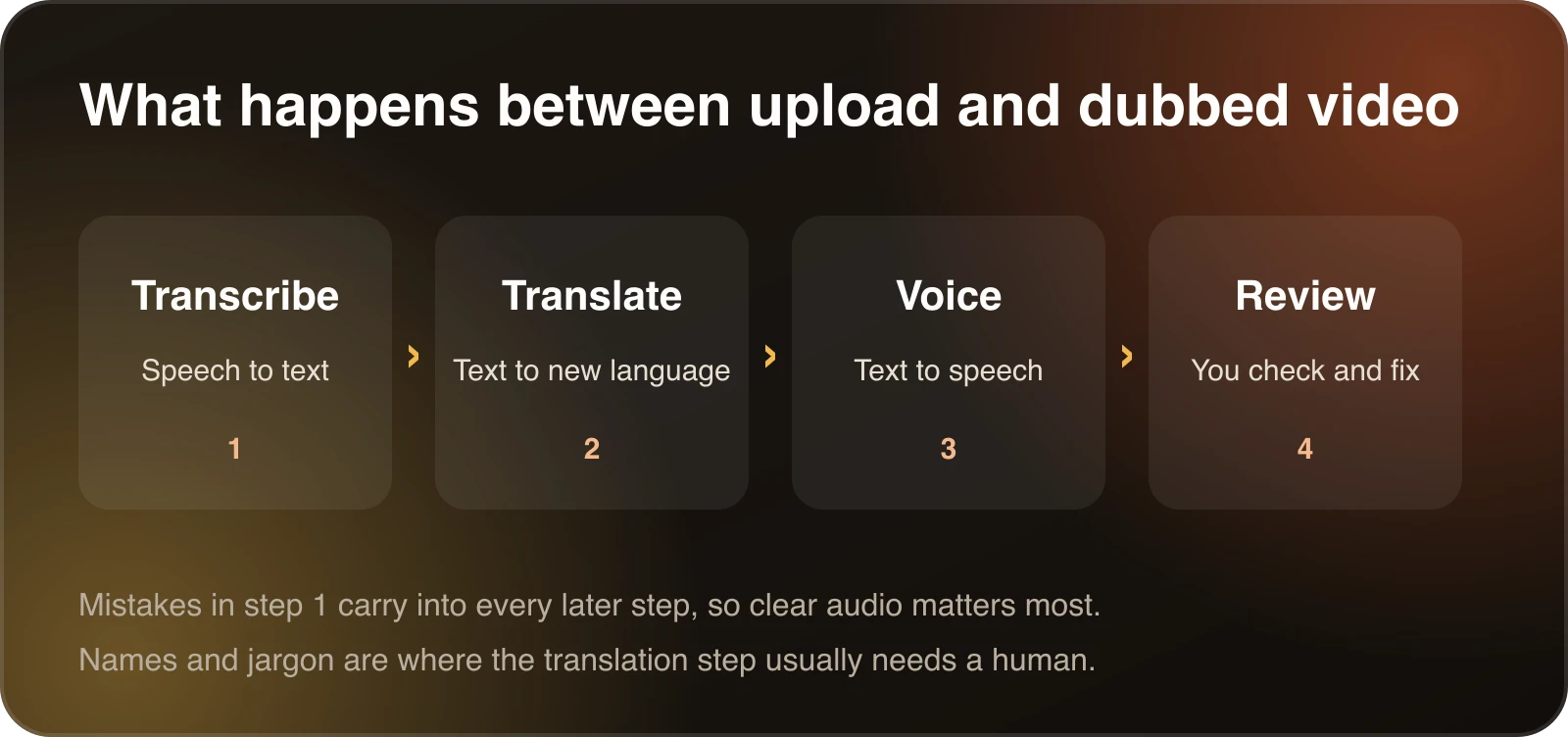
An AI video translator sounds like one step, but it is a chain of four. Knowing what each link does makes it easier to choose a tool, and to understand why a result went wrong.
Upload to dubbed video, in four stages.
## 1. Transcribe
The tool first turns the speech into text, with a timestamp for each phrase. Everything later depends on this step. If a word is misheard here, the translation will faithfully translate the wrong word.
Clear audio helps most. Music under the speech, several people talking at once and strong background noise all raise the error rate. If you control the recording, a quiet room and one microphone close to the speaker pay off more than any setting.
## 2. Translate
The transcript is translated into the target language. Modern translation reads whole sentences, so it handles word order and grammar well. It is weaker at things the transcript does not contain: who a name belongs to, which product a term refers to, whether a joke is a joke.
That is why names, idioms and jargon need a human look. A [translation glossary](/resources/ai-dubbing-glossary/) fixes how recurring terms appear, so you correct them once instead of line by line. The guide to [consistent terminology across translated videos](/guides/consistent-terminology-across-translated-videos/) explains how to set one up.
## 3. Voice
For subtitles, the pipeline can stop after translation. For a dub, the translated text is turned into speech. Tools differ here. Some use a stock voice. Others clone the original speaker's voice so the dub still sounds like them. [Preserving a speaker's voice](/guides/how-to-preserve-a-speakers-voice-when-translating-video/) covers what makes a clone sound natural.
The voice step also has to fit the new speech into the same time as the original. Some languages run longer than others, so the tool may tighten phrasing or speak slightly faster. The [speaking time calculator](/tools/speaking-time-calculator/) gives a rough sense of how long a script takes to say.
## 4. Review
This is the stage people skip, and the one that matters most. Read the translated transcript. Fix names and idioms. Listen to the first minute, because that is where viewers decide whether to keep watching.
In Dubtitle's Studio, you edit any line and regenerate only the segment you changed. You do not redo the whole video for one bad sentence.
## A worked example
Imagine a two minute product demo in English that you want to dub into Spanish.
The transcription step produces about 300 words with timestamps. You scan it and find that the product name "Kettle Cloud" was written as "cattle cloud". That one mistake would have been translated and spoken aloud. You fix it in the transcript before translating, and the rest follows correctly.
The translation step turns the sentences into Spanish. One line says "this will blow your mind". A word-for-word version would sound odd, so you rewrite it as something a Spanish speaker would actually say about a feature they like.
The voice step generates the Spanish track. The Spanish runs a little longer than the English in two places. The tool tightens those lines so they fit before the next scene change.
Finally you listen to the first minute, fix one more line, and download the video. Most of the work was reading, not clicking, and almost all of the quality came from the transcript and review stages.
## Subtitles, voiceover or dub
The same pipeline can end in three different outputs.
**Subtitles** stop after translation. The viewer reads the translated text and hears the original speech. They are the cheapest option and the easiest to check.
**A voiceover** lays the translated voice over the original audio, which usually stays faintly audible underneath. It is common for news and documentary clips.
**A full dub** replaces the original speech with a spoken track in the new language. It suits tutorials, courses and channel videos, where viewers should look at the screen. The guide to [AI dubbing vs. subtitles](/guides/ai-dubbing-vs-subtitles/) helps you choose between them.
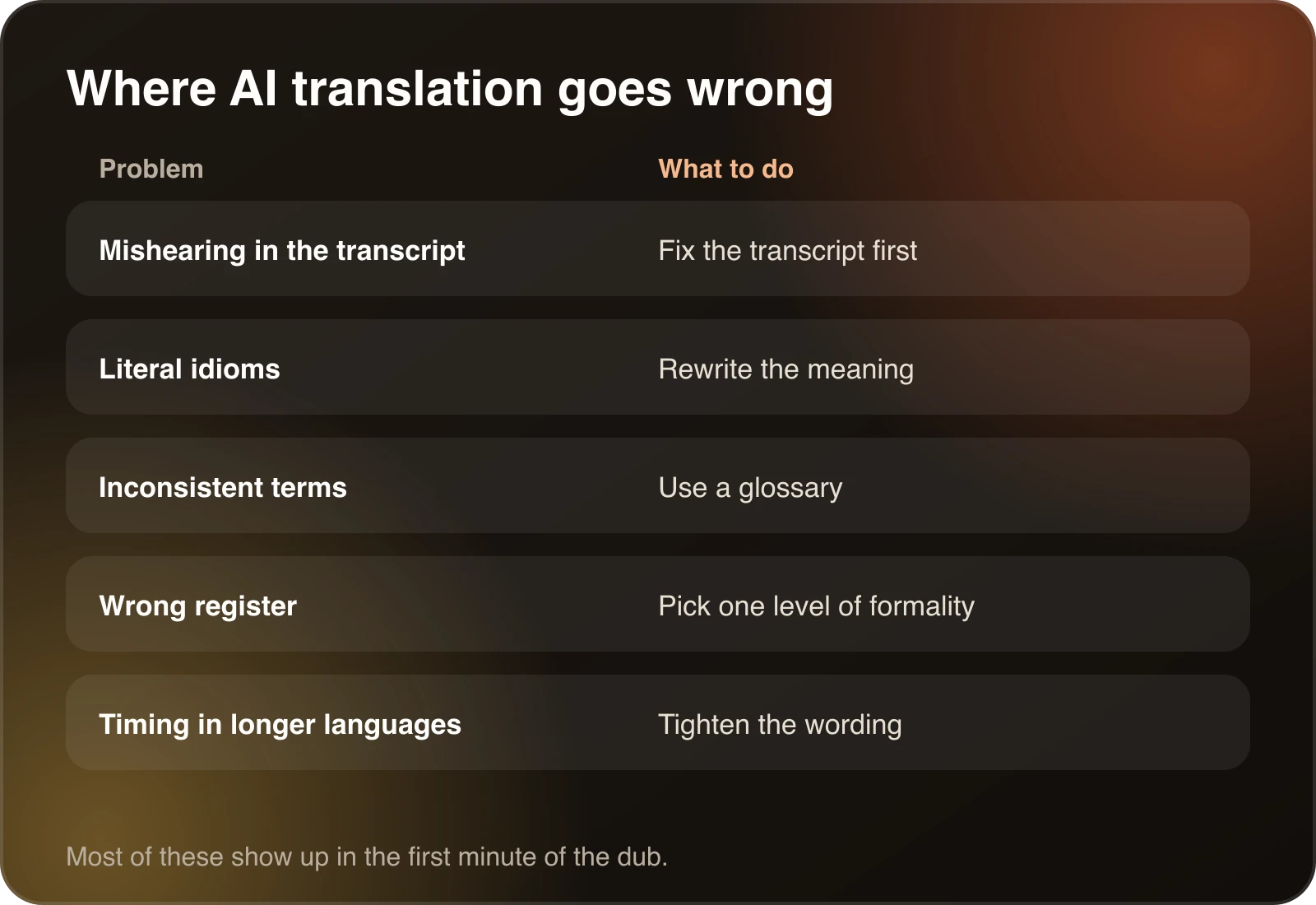
## Where AI video translation goes wrong
- **Mishearing in the transcript.** Accents, mumbling and noise.
- **Literal idioms.** A phrase that makes sense in one language translates into nonsense in another. The [Spanish guide](/guides/how-to-translate-a-video-to-spanish/) has a worked example.
- **Inconsistent terms.** The same product name spelled three ways.
- **Wrong register.** A casual video that comes out formal, or the reverse.
- **Timing.** A longer language squeezed into the same scene.
Each problem has a simple fix.
## How to get better results before you upload
You control more than you might think.
- **Record clean audio.** One microphone near the speaker, a quiet room and no music under the speech. This improves the transcript, and every later stage depends on it.
- **Speak at an even pace.** Long pauses and very fast bursts both make timing harder for the voice step.
- **Keep a list of terms.** Product names, acronyms and people's names are what the translation step gets wrong most often. Put them in a glossary before the job runs.
- **Use the source file, not a screen recording of it.** A re-encoded video usually has worse audio.
- **Know your rights.** Only translate and dub videos you own or have permission to translate.
## How long it takes and what it costs
Time depends on the tool and the video. In Dubtitle, most videos finish in 2 to 10 minutes. Cost depends on how you count. Some tools price by video, some by credit, some by minute. For a library, the useful number is the cost per finished minute per language. The [cost guide](/guides/how-much-does-video-dubbing-cost/) shows how to work it out, and it compares AI dubbing with traditional studio dubbing.
## A short glossary
**ASR.** Automatic speech recognition, the technical name for the transcription step.
**Machine translation.** Software that translates text from one language to another.
**Text to speech.** Software that turns text into spoken audio.
**Voice cloning.** Generating speech in a voice modelled on a specific person.
**Glossary.** A list of terms and how each should be translated, used to keep names and jargon consistent.
**Segment.** A short stretch of speech, usually one or two sentences, which you can edit and regenerate on its own.
The [AI dubbing glossary](/resources/ai-dubbing-glossary/) has longer definitions of these and other terms.
## What to look for in a tool
Run the same clip through two or three tools and compare. The [best AI video translation tools](/guides/best-ai-video-translation-tools-2026/) guide has a test you can follow. Pay attention to whether you can edit the transcript, whether the voice sounds like the speaker, and how each tool handles your own terms.
If you want to try a dub, [AI dubbing for YouTube and creators](/guides/ai-dubbing-for-youtube/) explains how Dubtitle works, and plans on [pricing](/pricing/) start at $5 a month with a 7-day free trial.
## Frequently asked questions
### What is an AI video translator?
An AI video translator turns the speech in a video into another language. Most tools transcribe the speech, translate the text, and then produce subtitles or a spoken track. Some also clone the speaker's voice.
### How accurate is an AI video translator?
It depends on the audio and the language pair. Clear speech gives the best results. Names, slang and technical terms are where mistakes cluster, so read the translated transcript before you publish.
### Can an AI video translator keep my voice?
Some can. Dubtitle uses voice cloning, so the dubbed track is generated in a voice modelled on the original speaker. Clean source audio gives a better clone.
### How long does AI video translation take?
In Dubtitle, most videos finish in 2 to 10 minutes, depending on length and complexity.
### Do I still need to review the translation?
Yes. Read the transcript, fix names and idioms, and listen to the first minute. A review step is the difference between a usable video and an embarrassing one.