# How to preserve a speaker's voice when translating video
> What voice cloning does and doesn't do, how to give it good input, and the small things that make a dubbed voice still sound like the same person.
Guide · Published 2026-10-24
Canonical page: https://dubtitle.com/guides/how-to-preserve-a-speakers-voice-when-translating-video/
There's a moment when you hear yourself speaking a language you don't speak. It's strange, a little thrilling, and, if it's done badly, deeply off-putting. The voice is almost yours, but the person it describes isn't quite you.
Preserving a speaker's voice across languages is mostly a solved problem technically. The difference between a dub that feels right and one that doesn't usually comes down to the input you give it and a handful of choices you make afterwards. This guide goes through both.
## What "preserving the voice" actually means
When people say they want a dub to "sound like me," they're usually asking for several different things at once.
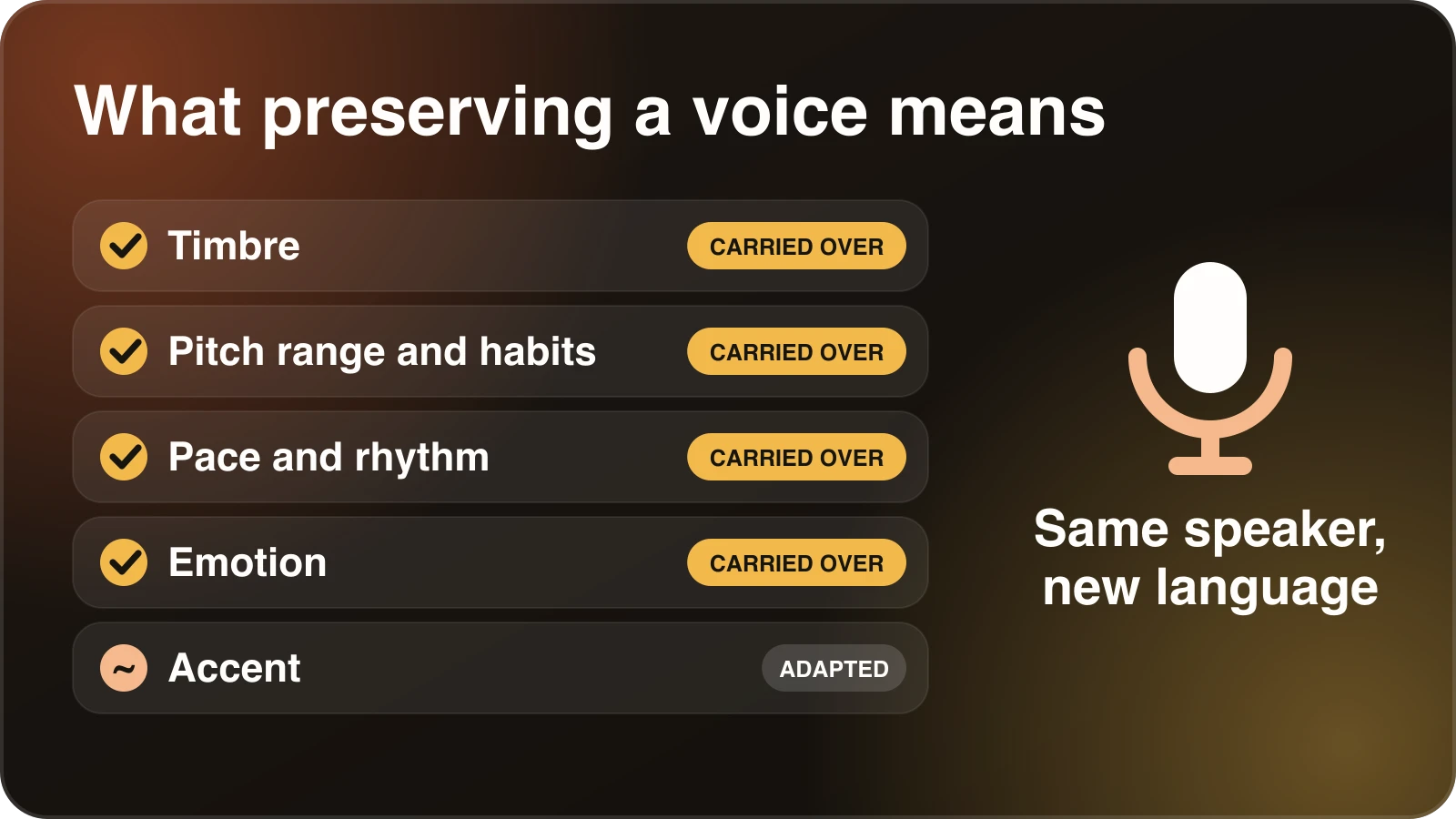
**Timbre.** The basic character of the voice: how deep or bright it is, how warm, how much grain or breathiness. This is the part voice cloning handles best.
**Pitch range and habits.** Whether you tend to go up at the end of a question, whether you speak in a flat, steady register or swing between high and low.
**Pace and rhythm.** Where you pause, how fast you speak when you're excited, how long you linger on a point.
**Emotion.** Whether a laugh sounds like a laugh, whether emphasis lands where it should.
**Accent.** This one is tricky and worth thinking about, because an accent doesn't translate. If you speak English with a particular regional accent, the dubbed Spanish won't reproduce it, and you probably wouldn't want it to. It should sound like a native Spanish speaker with your voice's character.
A good dub carries the first four across and handles the fifth sensibly. Nobody should expect it to be a perfect copy, and anyone who promises that is overselling.
A good dub carries the first four across and handles accent sensibly.
## How voice cloning works, briefly
You don't need the maths, but one idea helps. A voice model is trained on, or conditioned by, recorded speech from the person. It learns a representation of what makes that voice distinctive, then uses it to generate new speech, in this case the translated sentences.
Two consequences follow. First, the model can only represent what it hears, so the clearer and richer the sample, the better the clone. Second, the cloned voice will carry the qualities of whatever you gave it, including a hoarse day, background hum and a room that echoed.
## Give it a good sample
This is where most of the gain is. If you're cloning your own voice, spend ten minutes on the recording.
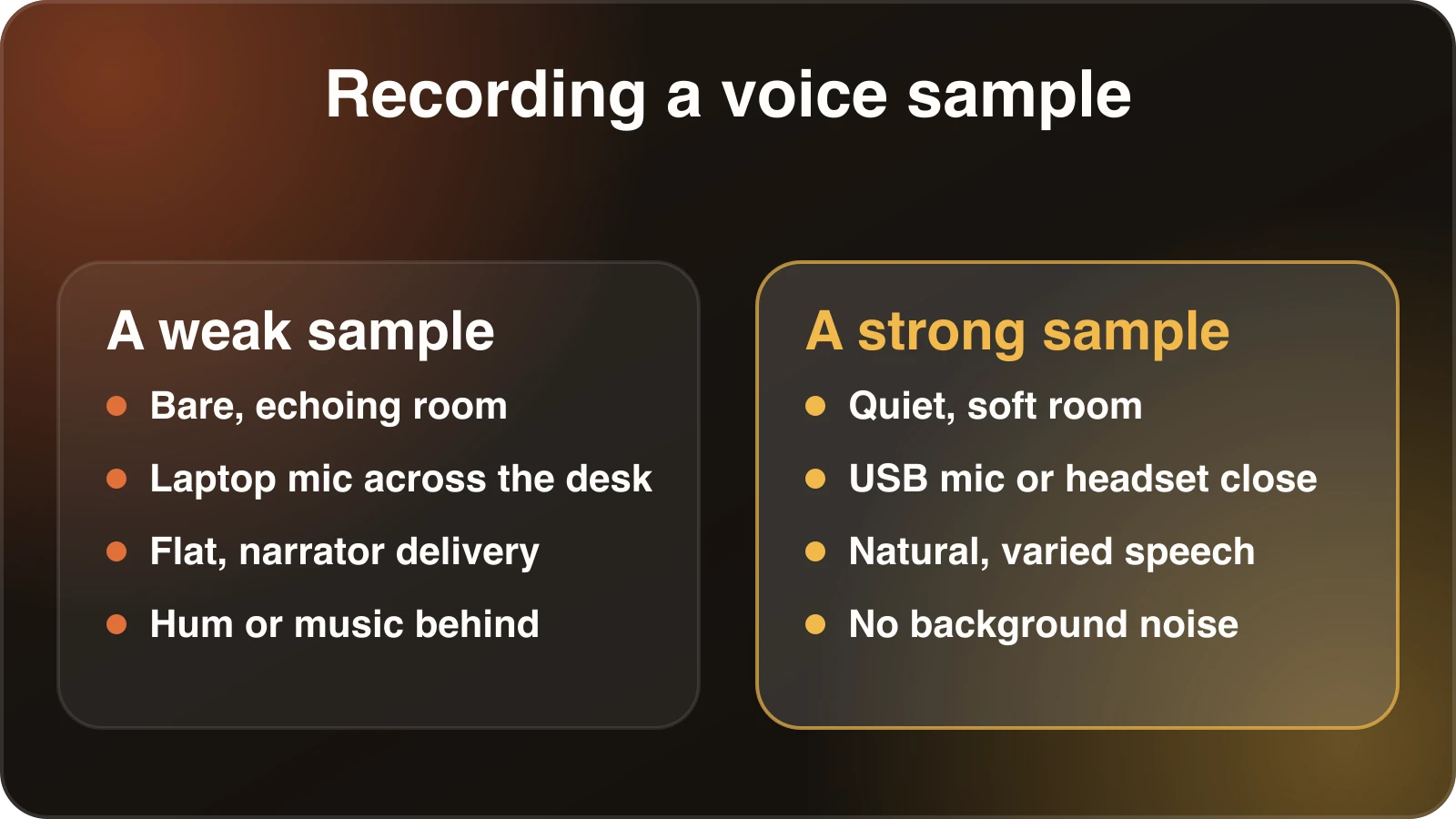
- **Record in a quiet, soft room.** A closet full of clothes beats a bare kitchen. Reverb is the enemy.
- **Use a decent microphone, close to your mouth.** A USB mic or a headset is fine. A laptop mic across the desk is not.
- **Speak naturally.** Resist the urge to sound like a narrator. Read something conversational, or just talk about your day. The model learns from how you really speak.
- **Include variety.** Questions, statements, a bit of excitement, a calm stretch. A flat sample produces a flat clone.
- **Avoid noise and music.** Fridge hum, fans and background music all leak into the clone.
If you're dubbing a video where the speaker's original audio is the source, the same rules apply to that audio. Clean speech gives the system more to work with.
Most of the quality gain is in the sample you record.
## Multiple speakers
Interviews and panel videos add a wrinkle. The system has to separate who said what, then assign a distinct voice to each person. Things that help:
- **Avoid overlapping speech** when you can.
- **Check the speaker labels** after transcription. If two people were merged into one, the dub will use one voice for both.
- **Give each person enough solo speech.** A guest who only says "right" and "yes" doesn't give the system much to model.
Read the transcript in Studio before you publish, so a line attributed to the wrong person gets caught before it turns into dialogue in the wrong voice.
## Keep the pace natural
People rarely notice a cloned voice that's slightly different from the original. They do notice a voice that sounds rushed. This is the most common reason a dub feels artificial, and it's a translation issue as much as a voice issue.
Languages differ in how many syllables it takes to say the same thing. If the translation is much longer than the original, the dubbed voice has to either speed up to fit the same slot or run over into the next line. Fixing it usually means tightening the translation, not tweaking the voice.
Take a line that sounds hurried and ask whether the translation says more than it needs to. Cut a hedge, drop a redundant clause, and regenerate that line. The [speaking time calculator](/tools/speaking-time-calculator/) is a quick way to get a rough sense of how long a piece of text takes to say.
## Check the details that give a voice away
Listen for these on a first pass.
**Names.** Your own name, your channel name, your product names. If the model pronounces them differently from how you do, correct it. Re-spelling a word phonetically in the text often helps.
**Laughter and fillers.** Natural speech has hesitations, breaths, little laughs. A dub that removes all of them can feel sterile, and one that keeps every "um" can feel messy. Decide what you want and edit accordingly.
**Emphasis.** If a sentence is meant to land on a particular word, check that the stress falls there in the translation. Sometimes rephrasing the sentence so the key word comes at the end fixes it.
## Consent and ethics
This matters, so we'll say it directly. Clone your own voice, or the voice of someone who has agreed to it. Don't clone a voice from a recording of someone who hasn't consented, and be careful with public figures. Beyond the ethical question, you can run into legal trouble in many places.
Being transparent with your audience is also good practice. A short line in the description along the lines of "dubbed with AI, voice generated from the original speaker" is honest and rarely hurts. Viewers tend to react worse to discovering it later than to being told.
## When you don't want the original voice
Sometimes a different voice is the right call. A corporate training video might be better with a neutral narrator. A children's lesson might want a friendlier tone. A speaker who isn't comfortable hearing a synthetic version of themselves shouldn't be pushed into it.
Voice cloning is a choice, not a requirement. Think about whether the speaker's identity is part of what the audience values. For a creator or an instructor with a recognizable voice, it usually is. For a faceless explainer, it usually isn't.
## A repeatable process
If you dub regularly, here's a routine that works:
1. Record or choose a clean voice sample once, and reuse it.
2. Dub the video with voice cloning on.
3. Listen to the first minute and any section with heavy emotion.
4. Fix pronunciation of names and terms.
5. Shorten any line that sounds rushed.
6. Regenerate only the changed lines.
7. Listen once more in full, preferably with someone who speaks the language.
Dubtitle supports voice cloning on every plan, including the free trial, and the [AI dubbing](/ai-dubbing/) page explains the workflow. If you'd like to hear yourself in another language, [start a free trial](https://dubtitle.com/api/signup) and use a short clip.
## Frequently asked questions
### Can AI dub a video in my own voice?
Yes. Voice cloning builds a model of your voice from a recording and uses it to speak the translated script. The clearer your sample, the closer the result.
### How does voice cloning work in video dubbing?
The system learns what makes a voice distinctive, such as timbre and pitch habits, then generates new speech in that voice. It can only reproduce what it hears, so noise or echo in the sample carries over.
### What makes a good voice sample for cloning?
A quiet, soft room, a decent microphone close to your mouth, natural conversational speech with some variety, and no background noise or music.
### Will the dub keep my accent?
No. An accent does not translate. The dub should sound like a native speaker of the target language with the character of your voice.
### Is it okay to clone someone else’s voice?
Only with their consent. Use voice cloning for your own voice or for speakers who have agreed, and follow the platform’s acceptable use policy.