# What is an SRT file? How to open, edit and convert it
> What an SRT subtitle file is, what is inside it, how to open, create and edit one, how it differs from VTT, and whether SRT files are safe.
Guide · Published 2026-10-27
Canonical page: https://dubtitle.com/guides/what-is-an-srt-file/
If you have ever downloaded captions, exported subtitles from an editor or been asked to "send the SRT", you have met the most common subtitle format on the internet. This guide explains what an SRT file is, what is inside it, how to open and edit one, and when to use a different format.
## What an SRT file is
SRT stands for SubRip Subtitle, after the SubRip program that popularised it. It is a plain-text file, usually ending in `.srt`, that lists subtitles together with the moments they should appear. Because it is only text, almost every video player, editor and platform can read it.
An SRT file holds the words and the timing. It does not contain the video or audio, which is why it is tiny and easy to send, edit and translate.
## What is inside an SRT file
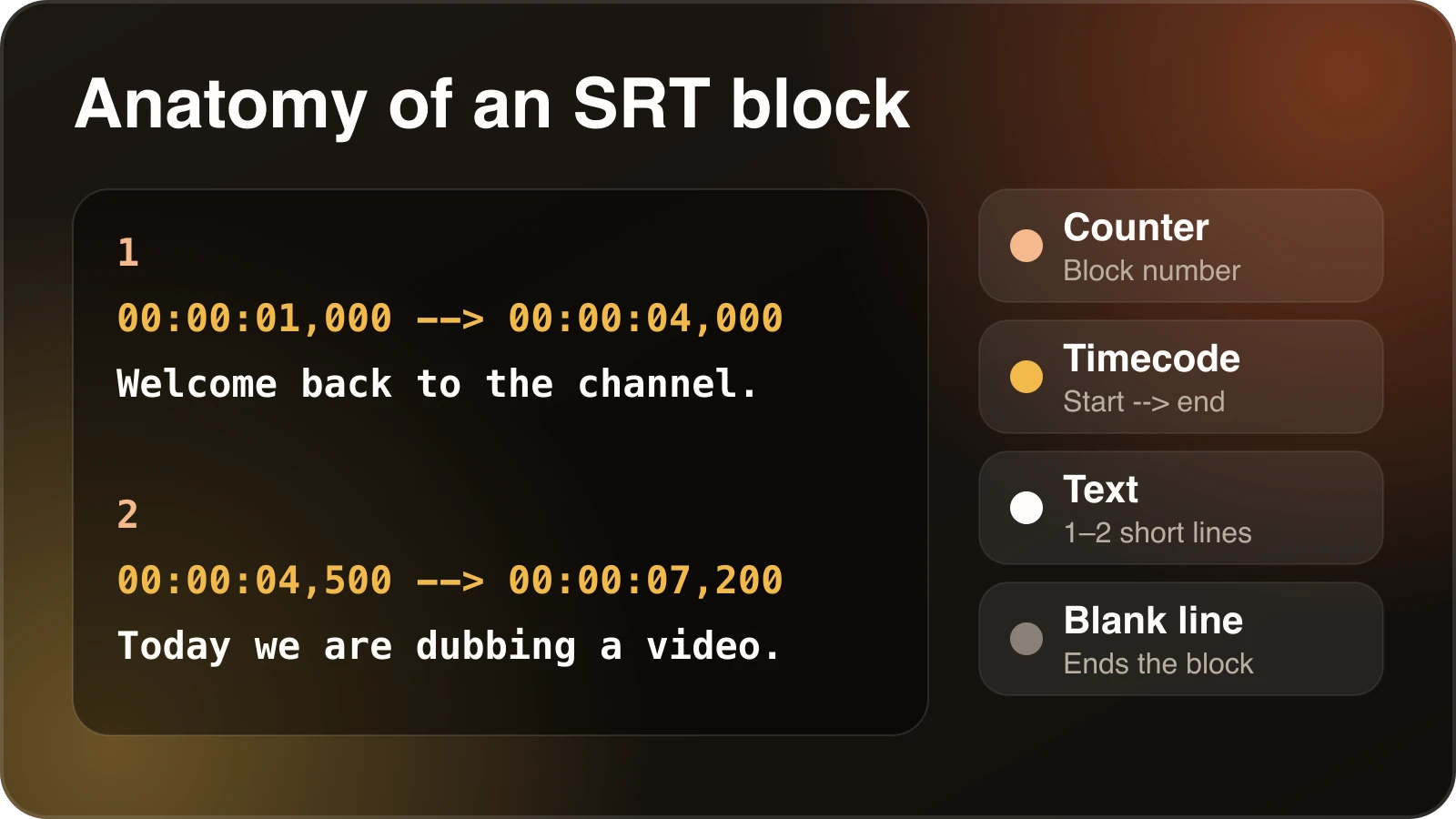
Every subtitle is a block of three parts, separated from the next block by a blank line.
```
1
00:00:01,000 --> 00:00:04,000
Welcome back to the channel.
2
00:00:04,500 --> 00:00:07,200
Today we are dubbing a video into Hindi.
```
- **A counter.** The block number, starting at 1 and going up.
- **A timecode line.** Start time, an arrow, then end time, in `hours:minutes:seconds,milliseconds`. SRT uses a comma before the milliseconds.
- **The text.** One or two short lines, followed by a blank line.
There is no styling header and no metadata. That simplicity is why SRT works almost everywhere.
Every SRT block has the same four parts.
## How to open an SRT file
You can open it two ways, depending on what you want to do.
1. **To read or edit the text,** open it in any text editor, such as Notepad on Windows or TextEdit on a Mac. Save it as plain text in UTF-8 so accented and non-Latin characters survive.
2. **To watch the subtitles,** load the file with the video. Players such as VLC let you add a subtitle file, and platforms such as YouTube let you upload one in the subtitles section of your video.
## How to create an SRT file
You rarely need to write one from scratch, but you can.
- **Write it by hand** in a text editor following the layout above. This is fine for a few lines.
- **Export it** from a transcription tool, a video editor or a subtitle editor.
- **Download it** from a platform that already generated captions for your video, then fix any mistakes.
Before you publish, check the file for overlapping times, missing blank lines and lines that stay on screen too briefly to read. Our [free SRT converter](/tools/srt-converter/) flags common problems like these.
## SRT vs VTT
The two formats do the same job. The differences are small but they matter when a player refuses your file.
| | SRT | VTT (WebVTT) |
| --- | --- | --- |
| First line | None | `WEBVTT` |
| Millisecond separator | Comma (`00:00:01,000`) | Period (`00:00:01.000`) |
| Styling and positioning | Very limited | Supported |
| Typical use | Video editors, desktop players, social platforms | Web players and HTML5 video |
If you need to move between them, the [SRT to VTT converter](/tools/srt-converter/) does it in your browser and can also shift all the timings by a fixed amount.
## How to edit an SRT file
Because an SRT file is plain text, editing it takes nothing more than a text editor. A few habits keep the file valid.
- **Change the words freely, but leave the structure alone.** Fix typos, reword lines and break long sentences, as long as each block keeps its number, its timecode line and a blank line after the text.
- **Edit timecodes carefully.** The format is `hours:minutes:seconds,milliseconds`, so `00:01:05,250` means one minute, five seconds and 250 milliseconds. A period instead of the comma, or a missing digit, can make a player ignore the line or the whole file.
- **Renumber if you add or remove blocks.** Many players tolerate gaps in the numbering, but some do not, and clean numbering makes the file easier to check.
- **Keep the encoding as UTF-8.** Saving in an older encoding is the usual reason accented letters, Hindi, Arabic or Japanese text turn into question marks or boxes.
If every subtitle is early or late by the same amount, do not retime each block by hand. A converter that shifts all timings by a fixed number of seconds fixes it in one step, and our [SRT converter](/tools/srt-converter/) has that option.
## Common SRT problems and how to fix them
Most "my subtitles don't work" problems come down to a handful of causes.
- **The subtitles do not appear at all.** Check that the file really ends in `.srt`, that it is saved as plain text and that your player has subtitles switched on. Some players only load a subtitle file automatically if it has the same name as the video, for example `lesson-1.mp4` and `lesson-1.srt`.
- **The text shows strange characters.** This is almost always an encoding problem. Re-save the file as UTF-8.
- **The subtitles drift out of sync.** If the gap grows as the video plays, the frame rate or the edit of the video changed after the subtitles were made. If the gap is constant, shift all the timings by that amount.
- **Two subtitles overlap or flash by too quickly.** Look for end times that are later than the next start time, or blocks that last under a second. Merge or retime them.
- **A platform rejects the file.** Some web players and platforms want WebVTT rather than SRT. Convert the file, then try again.
## Good subtitle timing and line length
An SRT file will accept any timing you give it, so the quality is up to you. These are widely used rules of thumb rather than hard limits, and individual platforms and broadcasters set their own.
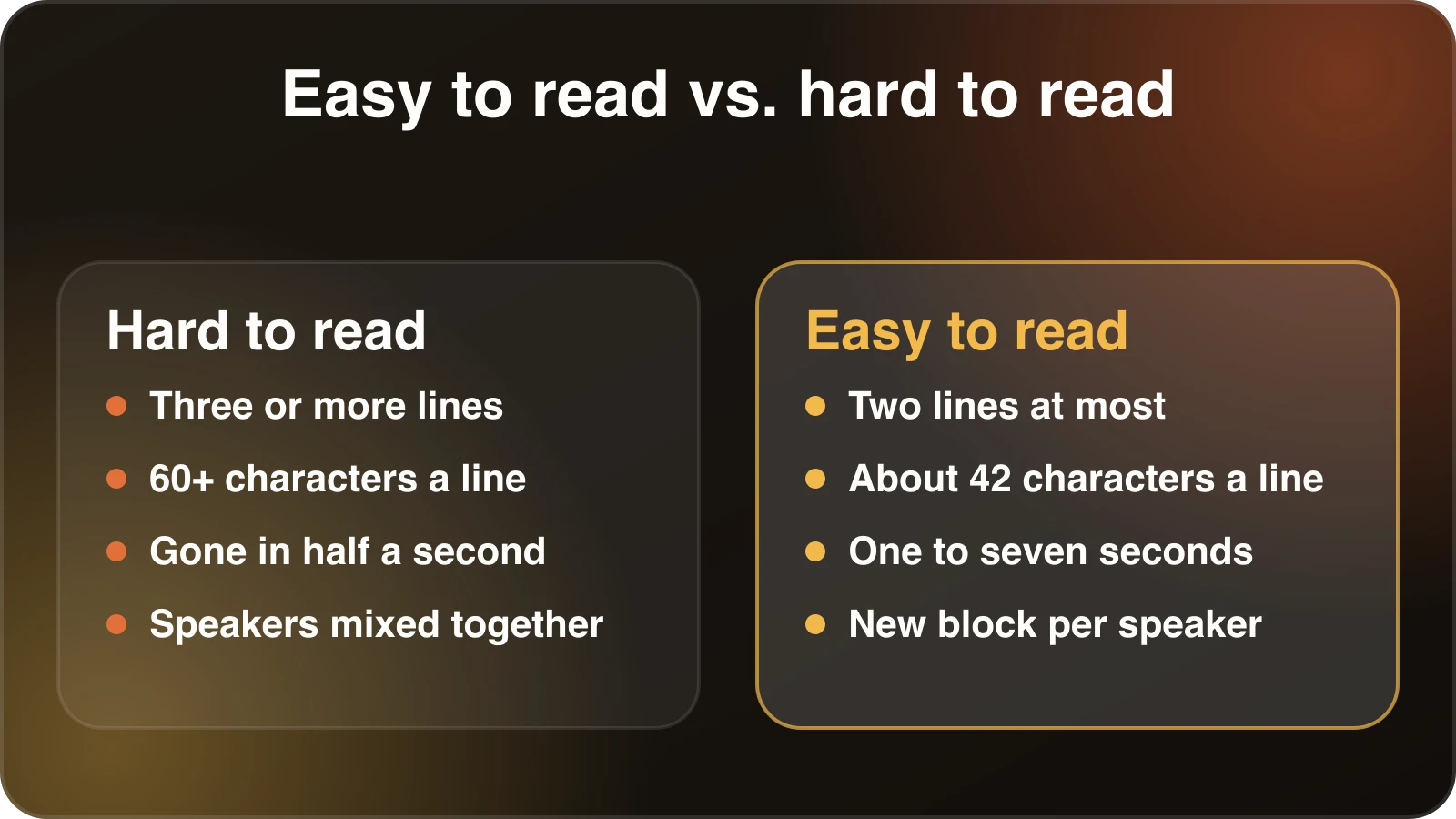
- **Keep each line short.** Around 42 characters is a common ceiling, and two lines per subtitle is the usual maximum.
- **Leave each subtitle on screen long enough to read.** Roughly one to seven seconds works for most dialogue. Very short lines need a little extra time so they do not flash by.
- **Match the reading speed of your audience.** Around 17 to 20 characters per second is a common target for adults. Children and viewers reading in a second language usually need it slower.
- **Break lines where a speaker would pause.** Avoid splitting a name, a verb phrase or a number across two lines.
- **Start a new subtitle when the speaker changes.** It makes dialogue much easier to follow.
Short lines, enough time on screen and a new block for each speaker keep subtitles readable.
## How to translate an SRT file
An SRT file is a convenient starting point for translation because the timing is already there. You translate the text in each block and leave the numbers and timecodes untouched.
Two things matter in practice. First, the translated line often needs a different length from the original. A sentence that fit on one line in English may need two in German or run too fast in Spanish, so check the reading speed after translating. Second, keep terminology consistent from the first block to the last, especially for product names and technical terms. A [translation glossary](/resources/ai-dubbing-glossary/) is the reliable way to do that across a whole video library.
If you are translating a video rather than just a file, our guide to [translating a video into another language](/guides/how-to-translate-a-video-into-another-language/) covers when to choose subtitles, a voiceover or a full dub.
## Are SRT files safe?
The file itself is only text, so it cannot run code. As with any download, treat the source with care. If a file claims to be an `.srt` but behaves oddly, open it in a text editor to see what it actually contains.
## SRT files from drones
Some DJI drones write an `.srt` file next to each video clip. It uses the same layout but stores flight telemetry for each frame instead of dialogue. Open it in a text editor and you will see the same numbered blocks.
## When subtitles are not enough
Subtitles keep viewers reading. For tutorials, demos and courses, where the picture is the point, a translated voice track often works better. Our guide on [dubbing vs subtitles](/guides/ai-dubbing-vs-subtitles/) helps you decide, and the walkthrough on [translating a video into another language](/guides/how-to-translate-a-video-into-another-language/) covers both routes. If you want a dub in your own voice, see [AI dubbing for creators](/ai-dubbing/).
## Frequently asked questions
### What is an SRT file?
An SRT file (SubRip Subtitle) is a plain-text file that holds subtitles. Each entry has a number, a start and end timecode, and the subtitle text. Video players and editors read it to show captions in sync with the video.
### How do I open an SRT file?
Open it in any text editor, such as Notepad or TextEdit, to read or edit it. To see the subtitles on video, load the file alongside the video in a player such as VLC, or upload it to a platform like YouTube.
### Are SRT files safe?
An SRT file is plain text, so the file itself cannot run code. Be cautious only if a file named .srt actually has a different extension underneath or comes from an untrusted source, and open it with a text editor if unsure.
### What is the difference between SRT and VTT?
Both are plain-text subtitle formats. SRT uses a comma in timecodes and has no header. WebVTT (VTT) uses a period, starts with a WEBVTT line and adds web-friendly features like styling. Web video players generally prefer VTT.
### How do I create an SRT file?
Write the entries by hand in a text editor following the SRT layout, export one from a transcription or subtitle editing tool, or download one from a platform that generated captions. Save it as UTF-8 with the .srt extension.
### How do I convert SRT to VTT?
Use the free SRT converter on this site: paste or load the file, choose WebVTT, and download the result. It also converts VTT back to SRT and can shift timing. Nothing is uploaded; it runs in your browser.
### What are SRT files on a DJI drone?
DJI drones can write a .srt file next to each video that stores flight telemetry, such as camera settings and position, for every frame. It uses the same format as subtitles but holds data instead of dialogue.