HeyGen alternative for video dubbing
When an audio dubbing tool fits better than an avatar and lip-sync platform, what each kind of tool is for, and how to test a HeyGen alternative.
6 min read
People look for a HeyGen alternative for different reasons. Some want something cheaper. Some only need to translate speech and do not need the rest of an avatar platform. Some want more control over the translation before it is voiced. The right choice depends on what you are changing in the video.
Two kinds of tools
HeyGen is best known for AI avatars and for video translation that can also re-render the speaker’s mouth to match the new language. That is the first of two broad categories.
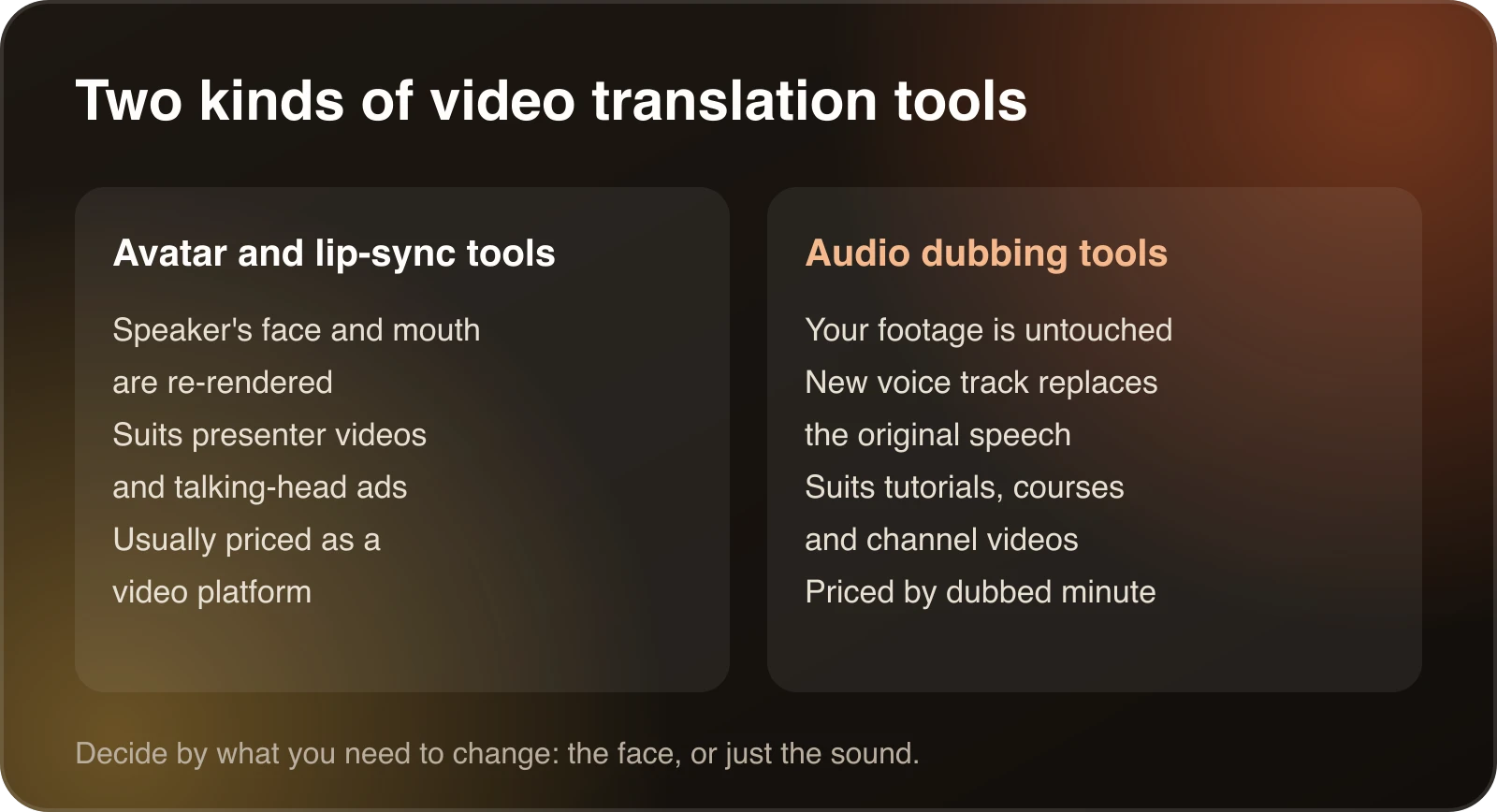
Avatar and lip-sync tools change what viewers see. They suit presenter videos, talking-head ads and anything where a speaker’s face is the main element.
Audio dubbing tools leave your footage as it is and replace the voice track. They suit tutorials, screen recordings, courses and channel videos, where viewers are looking at the screen and the speaker’s mouth is not the point.
Dubtitle is in the second group. It transcribes, translates and generates a dubbed voice track, optionally in a clone of the original speaker’s voice. It does not do avatars or lip-sync.
Why people start looking
A few reasons come up again and again.
The tool is built for something you do not need. If you only want your existing tutorial in Spanish, avatars and lip-sync are extra. You are paying for a platform when you need a voice track.
Cost per minute. Video platforms often price around video generation and credits. Dubbing a long library, such as a course with 40 lessons, makes the per-minute cost the number that matters. Work it out for your own volume before you commit to anything.
Control over the translation. Some tools hand you a finished video and little else. If you want to read the translated script, change a line and regenerate only that line, you need an editor in the middle of the process.
Voice. Some creators want the dub to sound like them. Others want a neutral voice. Check what each tool offers and listen to samples in your target language, since quality varies by language.
None of these makes one tool better in general. They are reasons to run a test instead of picking on reputation.
When Dubtitle fits
- You dub videos you already filmed, and the speaker’s face is a small part of the picture or off screen.
- You want to edit the translated transcript before the voice is generated. Studio lets you change a line and regenerate only that segment.
- You have recurring terms, such as product names, that must come out the same every time. Glossaries handle that, and they come with the Creator plan and above.
- You want pricing based on dubbed minutes. Plans start at $5 a month. How much video dubbing costs lays out the numbers.
When it does not
If the speaker’s mouth has to match the translated words, or you need to create a presenter from text, an avatar or lip-sync tool is the better fit. Check each vendor’s current feature list, since these products change quickly.
What a dubbing workflow looks like in practice
Take a ten minute tutorial recorded in English that you want in Spanish and Hindi.
You upload the file or paste the link. You choose Spanish and Hindi. The tool transcribes the speech, translates it and generates a voice track for each language. Most videos finish in 2 to 10 minutes.
Then you open the transcript. In Studio you read the Spanish line by line, fix the two or three places where a product name or an idiom came out wrong, and regenerate only those segments. You do the same for Hindi, ideally with help from someone who speaks it. Then you download each dubbed video.
The speaker on screen still moves their mouth to English. For a screen recording or a tutorial where the face is a small corner of the frame, most viewers never notice. For a close-up interview, they might. That is the real trade-off with audio dubbing, and it is worth deciding up front.
If you want a longer walkthrough of this flow, the AI video translator guide shows each stage, and the Hindi example goes through a full job from start to upload.
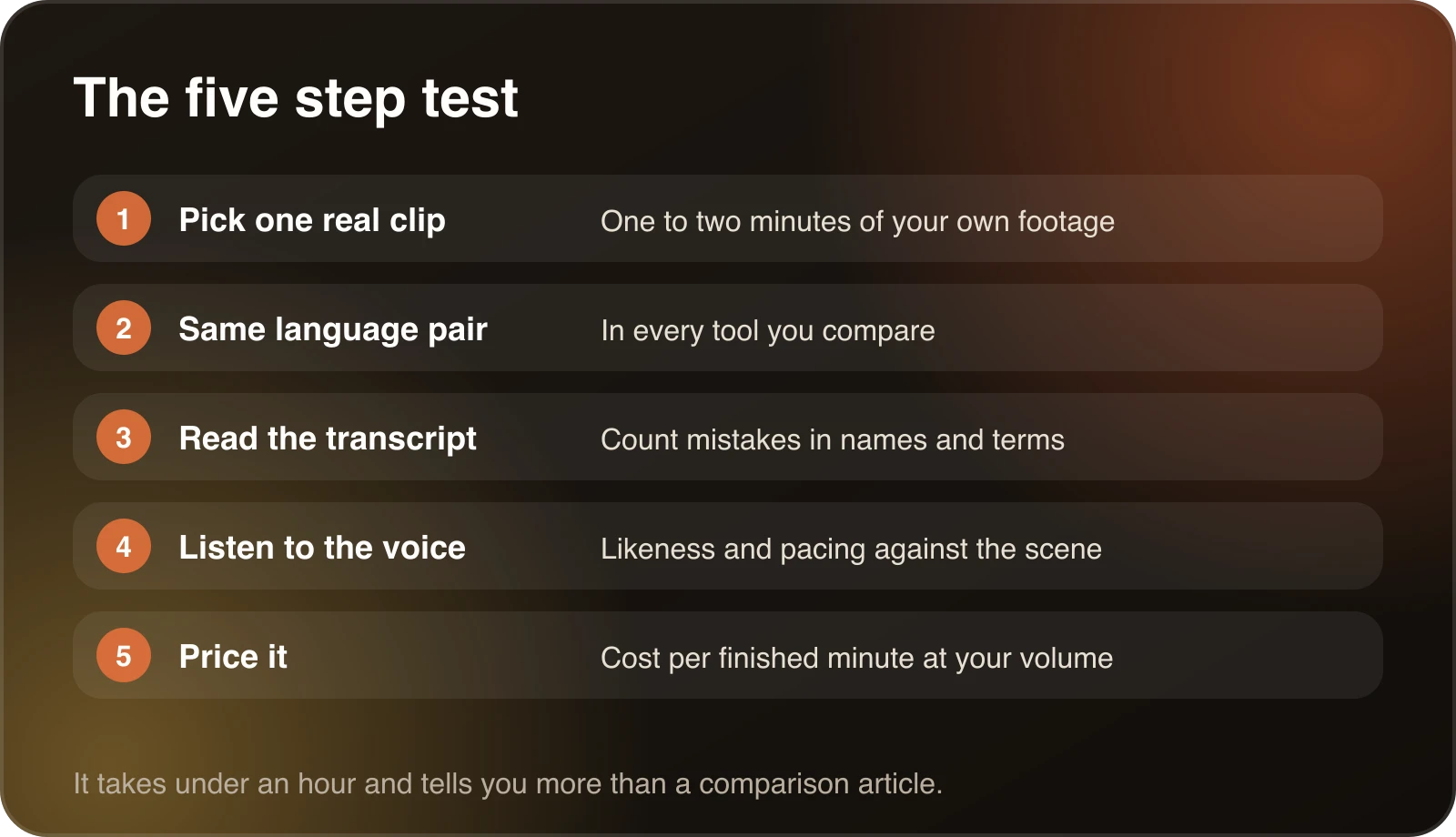
How to test a HeyGen alternative
- Pick one real clip. One to two minutes of your own footage, with the kind of speech you usually record.
- Use the same language pair in every tool. Otherwise you are comparing languages, not tools.
- Read the transcript first. Count the mistakes in names and terms.
- Listen to the voice. Does it sound like the speaker, and does the pacing fit the scene?
- Work out the price per finished minute for the volume you expect.
The guide to the best AI video translation tools has a longer scorecard, and how AI video translators work explains why results differ between tools.
Questions to ask any vendor
Whatever you shortlist, ask these before you pay.
- Can I read and edit the translation before the voice is generated?
- Can I fix a single line without redoing the whole video?
- Can I set how product names and recurring terms are translated?
- How is usage counted, by video, by minute or by credit, and what happens if I go over?
- Does the free trial cover the languages I need, and does it add a watermark?
- What are the rights and consent rules for cloning a voice?
The last question matters more than it sounds. Only clone a voice you own or have permission to use, and only dub videos you have the right to translate.
A quick decision guide
Choose an avatar or lip-sync platform if you are creating presenter videos from a script, or if close-ups of a speaker’s face are central and the mouth has to match the new language.
Choose an audio dubbing tool if you already have footage, most of the value is in the content and the screen, and you want to review the translation and keep the cost per minute predictable.
Use both if you have both kinds of video. Many teams use an avatar tool for marketing clips and a dubbing tool for tutorials and courses. The two jobs are different enough that one tool rarely wins at both.
If you are still unsure, run the five step test above on a single clip. It takes under an hour and it will tell you more than any comparison article, including this one.
Try it on a short clip
Dubtitle has a 7-day free trial with 5 minutes of dubbing, for videos up to 60 seconds, with a watermark. That is enough for the test above. If you are also weighing voice-first platforms, see the ElevenLabs dubbing alternatives and best AI video dubbing pages. Pricing has every plan.
Frequently asked questions
What is a good HeyGen alternative for dubbing videos?
It depends on the job. If you need to dub tutorials, courses or channel videos, an audio dubbing tool such as Dubtitle fits well. If you need avatars or lip-sync on presenter videos, look at tools built for that.
Is there a free HeyGen alternative?
Most tools offer a trial instead of an unlimited free plan. Dubtitle has a 7-day free trial with 5 minutes of dubbing for videos up to 60 seconds, with a watermark.
Does Dubtitle do lip-sync or avatars?
No. Dubtitle dubs the audio of your own footage. It does not re-render the speaker's mouth or create avatars.
Can Dubtitle clone my voice?
Yes. Voice cloning generates the dub in a voice modelled on the original speaker, so tone and pacing carry across languages.
How do I compare dubbing tools fairly?
Run the same short clip through each tool, in the same language, and compare the transcript, the voice and the cost per dubbed minute.