How to translate a video to English
Three ways to translate a video to English (subtitles, voiceover or a full dub), the steps for each, and how to check the result before you share it.
6 min read
“Translate this video to English” can mean three different jobs. Someone might want to understand a clip a colleague sent. A creator might want to publish an English version of their own video. A course maker might want every lesson to work for English-speaking students. The method that suits each is different, and picking the wrong one is how people end up with a result they cannot use.
This guide covers the three outputs, the steps that are the same for all of them, and how to check the English before anyone else sees it.
Pick the output first
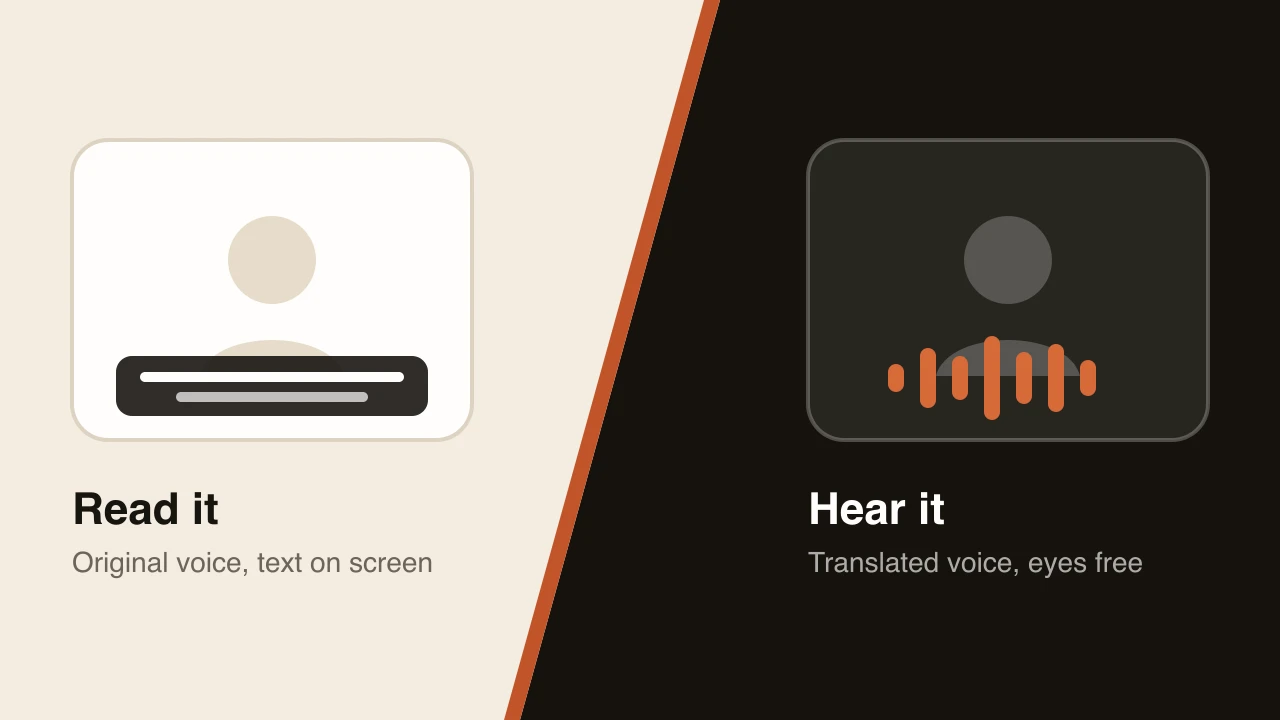
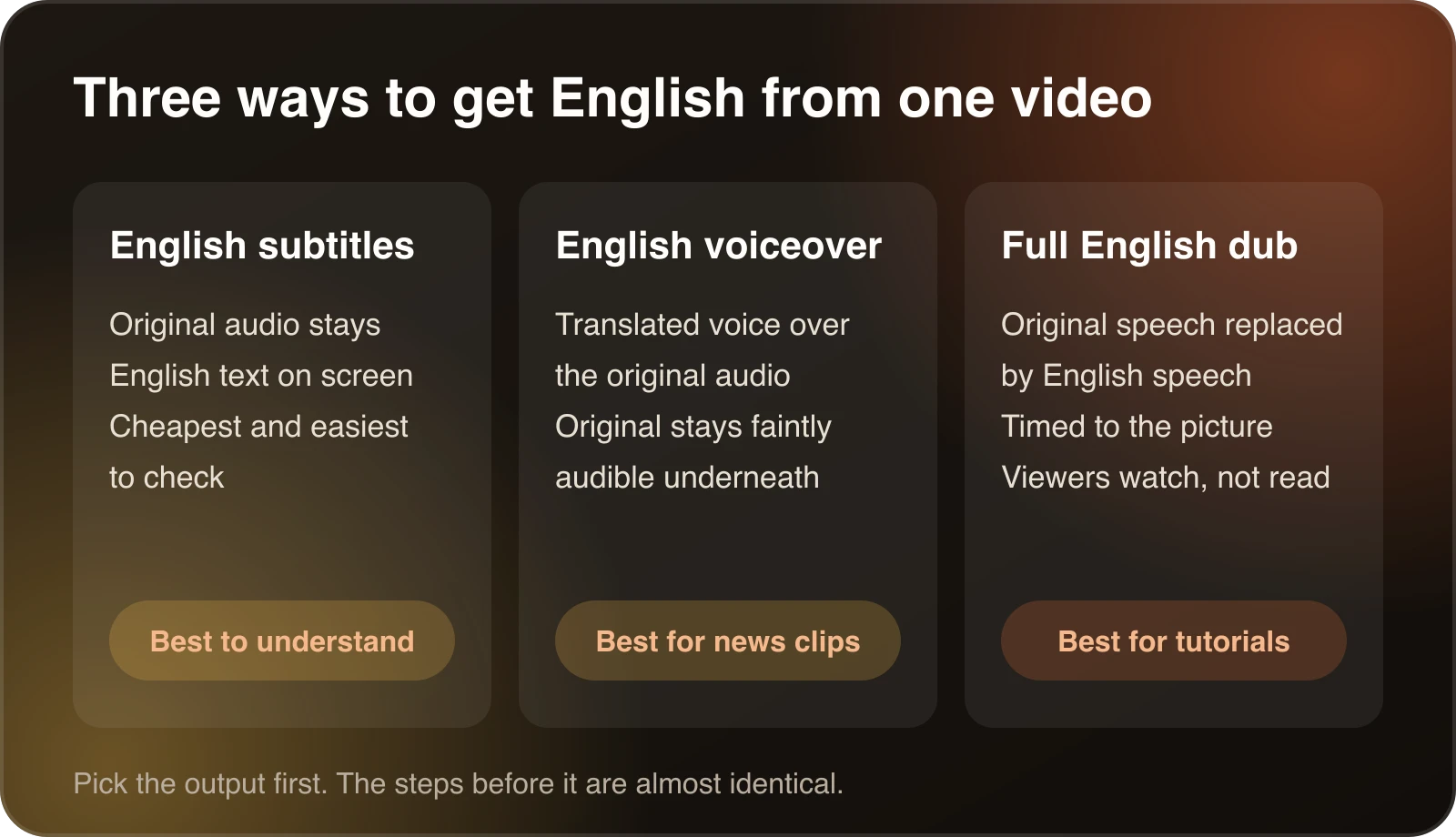
English subtitles. The original audio stays and English text appears on screen. It is the cheapest route and the easiest to check, because you can read every line. It works well for interviews, documentaries and anything people watch to understand rather than to learn a task.
An English voiceover. A translated voice is laid over the original audio, which usually stays faintly audible underneath. It is common for news and documentary clips.
A full English dub. The original speech is replaced by English speech timed to the same video. It suits tutorials, demos, courses and channel videos, where viewers should be looking at the screen rather than reading along. Our guide to AI dubbing vs. subtitles walks through how to choose.
If you only need to understand a video once, skip the polish. Auto-generated captions with a machine translation are enough.
The steps are almost the same for each
- Check the audio. Clear speech with little background music gives the best transcript. If a video has heavy music or people talking over each other, expect to do more review.
- Transcribe. The speech is turned into text in the original language.
- Translate. The transcript is translated into English. This is where names, idioms and jargon cause trouble.
- Produce the output. Subtitles, a voiceover or a dub, depending on what you chose.
- Review. Read the English as a viewer would, then fix what does not sound right.
Translating a video to English with Dubtitle
If you want a dub, upload the file or paste a link from YouTube, Vimeo or another platform, choose English as the target language and start the job. Dubtitle supports MP4, MOV, AVI and MKV files, and most videos finish in 2 to 10 minutes. With voice cloning, the English is generated in a voice modelled on the original speaker.
You can then open the project in Studio, read the translated transcript, edit any line and regenerate only the segments you changed. The AI video translator guide shows the workflow from upload to download. A worked example for a different language pair is in how to dub a YouTube video into Hindi, and the same steps apply when English is the target.
Review the English properly
Most of the quality comes from this step. Read the transcript from the top and watch for these:
- Names and brands. Check that people’s names, product names and places are spelled the way you want them.
- Idioms and slang. A literal translation of an expression can read as nonsense. Rewrite the meaning, not the words.
- Register. English has less formal marking than many languages, so a very polite original can come out stiff. Decide how formal the English should be and keep it consistent.
- Numbers, dates and currency. Make sure figures are written and read out the way your audience expects.
- Terms that repeat. If the same technical term appears often, fix it once in a translation glossary instead of line by line. Glossaries come with the Creator plan and above.
Spend the most time on the first minute. Viewers decide quickly whether to keep watching, and that is also where you will learn how the rest is likely to go.
Check the length and the picture
A translated line is often a different length from the original. If the English runs long, the speaker has to talk faster or the translation has to be tightened. The speaking time calculator gives a rough idea of how long a block of English takes to say. It does not replace listening, but it helps you decide whether a long explanation needs trimming.
What it costs
Translating a few short videos costs very little with AI tools. Plans on pricing start at $5 a month, and the guide on how much video dubbing costs explains how to work out a budget for a larger library.
When the source is not clean
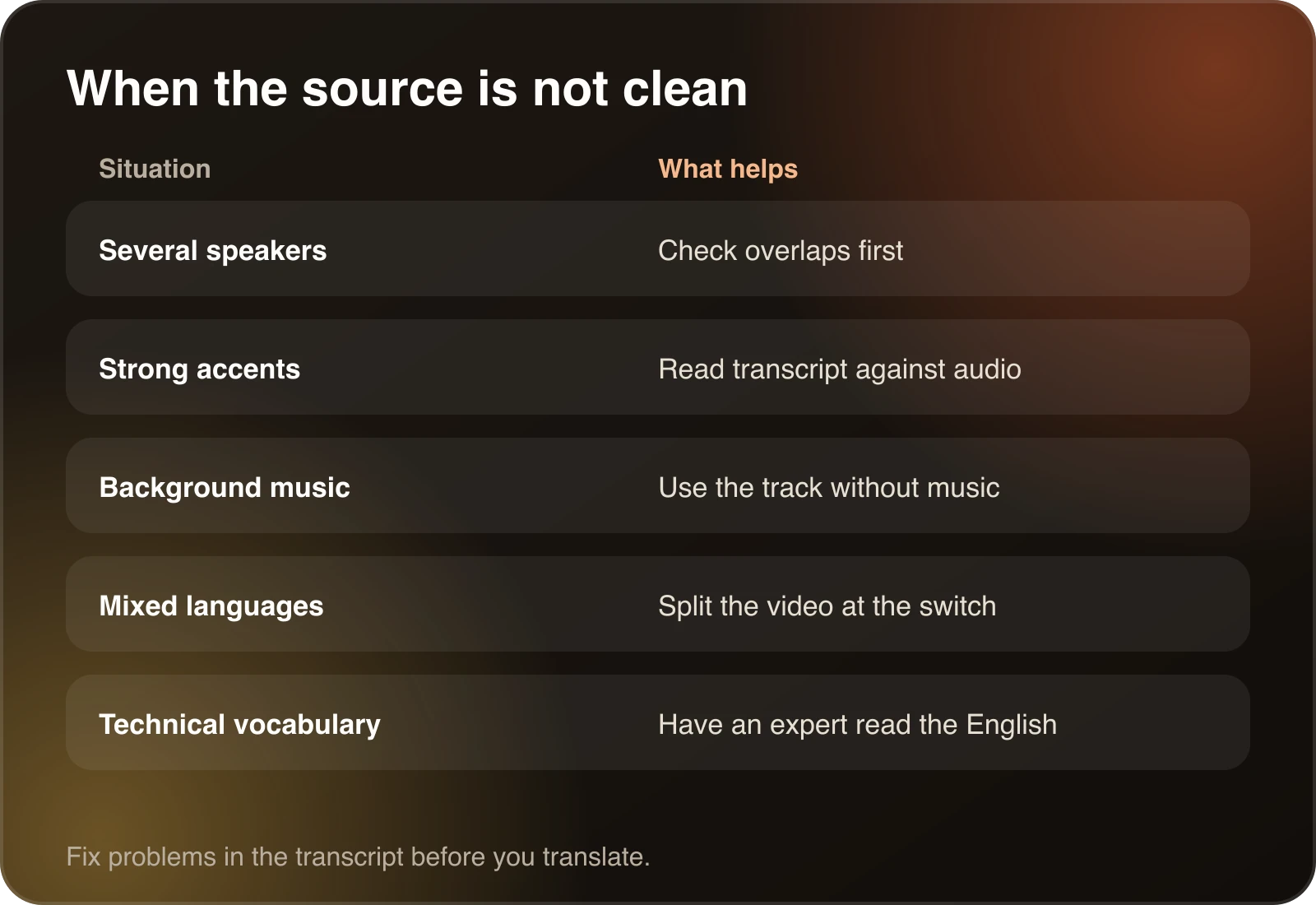
Real videos are messy, and a few situations deserve special handling.
Several speakers. If people talk over each other, the transcript can mix their words. Check these sections first. If one person is the main speaker, make sure the tool picks them out.
Strong accents or dialects. Transcription is weaker here. Read the transcript against the audio and fix mishearing before you translate.
Background music. Loud music under the speech lowers accuracy. If you have the original audio tracks, use the version without music.
Mixed languages. If the speaker switches between two languages, some tools handle it badly. You may get better results by splitting the video at the switch.
Technical vocabulary. Medical, legal and engineering terms are where translation mistakes are most costly. Have someone who knows the subject read the English.
Examples of who does what
A researcher who receives an interview in another language usually wants English subtitles and is happy with a rough machine translation.
A creator with a popular video in Hindi or Spanish who wants English viewers will want a full dub or well edited subtitles, plus an English title and thumbnail.
A training team with a library of internal videos wants consistent terminology, so they should set up a glossary before dubbing anything. The guide on consistent terminology across translated videos walks through that.
Mistakes to avoid
- Skipping the review because the first sentence sounded fine.
- Choosing a dub when subtitles would do, or the reverse.
- Forgetting the title, description and thumbnail. Translate those too if you publish the English version.
- Dubbing a video you do not own or have permission to translate.
Quick answers
How long does it take? In Dubtitle, most videos finish in 2 to 10 minutes. Review takes longer for long or technical videos.
Do I need to review? Yes. Machine translation is a strong first draft, but names and idioms still need a human look.
Which languages can I translate from? Dubtitle supports 84 languages. Check that your source language is in the list and test with a short clip first.
A short checklist
- Decide whether you need subtitles, a voiceover or a dub.
- Check the source audio.
- Translate, then read the English transcript.
- Fix names, idioms and numbers.
- Add recurring terms to a glossary.
- Publish, then compare how the English version performs.
Frequently asked questions
How do I translate a video to English?
Transcribe the speech, translate the transcript into English, then pick an output: English subtitles, an English voiceover or a full English dub. AI tools can do all three steps from one upload. Review the English before you share it.
Can I translate a video to English for free?
Free options exist, usually with limits on length or a watermark. YouTube can show auto-translated captions on many videos, and Dubtitle has a 7-day free trial with 5 minutes of dubbing for videos up to 60 seconds, with a watermark.
Should I use English subtitles or an English dub?
Subtitles are enough if you only need to understand the video once. A dub suits tutorials, courses and channel videos, where viewers should watch the picture instead of reading. The guide on AI dubbing vs. subtitles helps you decide.
Will the English dub sound like the original speaker?
With voice cloning, the dub is generated in a voice modelled on the original speaker, so tone and pacing carry over. The accent does not, because the English is spoken as English.
How accurate is an AI translation to English?
It depends on the audio quality and the source language. Clear speech gives the best result. Names, slang and jargon are where mistakes cluster, so read the English transcript and fix those lines.