How to translate a video to Spanish
How to translate a video to Spanish with subtitles or a dub, what changes in Spanish (length, formality, regional words) and how to review the result.
6 min read
Spanish is one of the first languages many creators and course makers add, and for good reason: it opens a very large audience. The steps for translating a video to Spanish are the same as for any language, but Spanish has a few habits that are worth planning for.
For the general process, see how to translate a video into another language. This guide covers what is specific to Spanish.
Choose subtitles or a dub
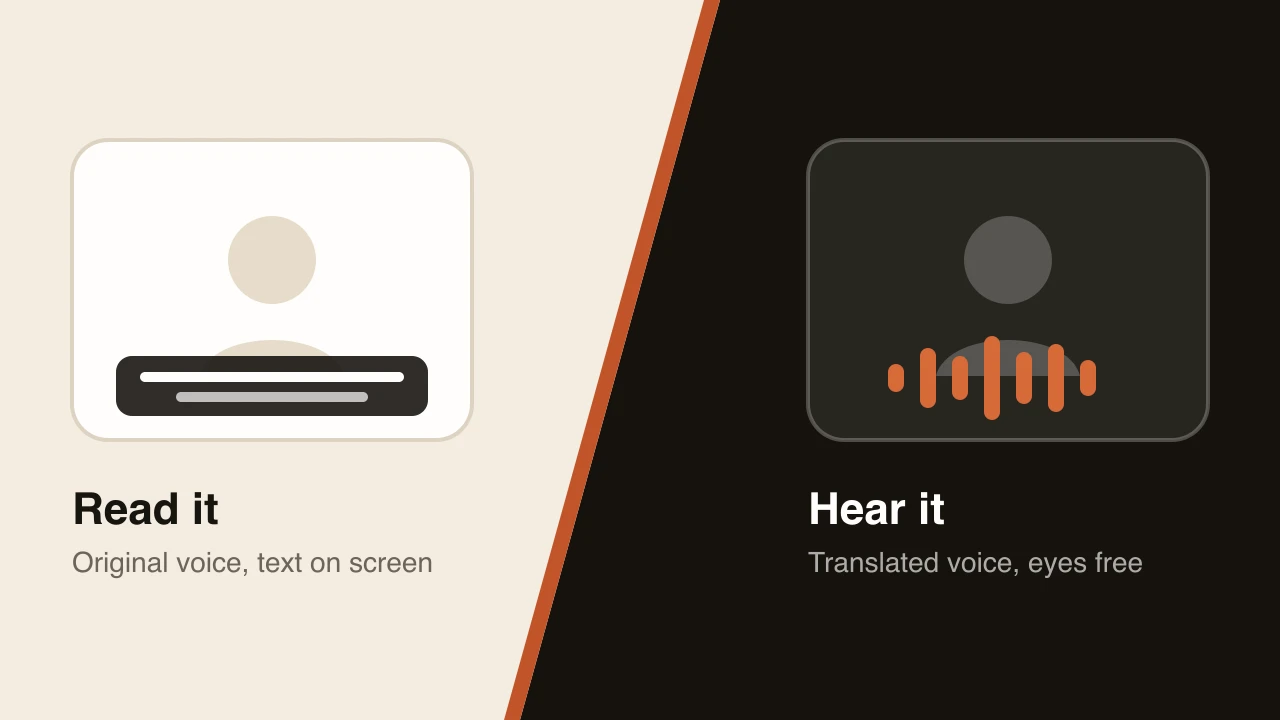
You have two main options. Spanish subtitles keep your original audio and add text, which is quick and cheap. A Spanish dub replaces your voice with a Spanish voice track, so viewers can watch the picture instead of reading. Our guide to AI dubbing vs. subtitles explains how to pick.
How to translate a video to Spanish with Dubtitle
Upload the video or paste a link from YouTube, Vimeo or another platform. Choose Spanish as the target language and start the job. Most videos finish in 2 to 10 minutes. With voice cloning, the Spanish is generated in a voice modelled on the original speaker. Then open the project in Studio, read the Spanish transcript, edit any line and regenerate only the segments you changed. The AI video translator guide shows the whole flow.
What changes in Spanish
It often runs longer. For the same meaning, Spanish tends to take more words and more time than English. A dub has to fit the same scene cuts and pauses, so tight wording matters. The speaking time calculator estimates how long a script takes to say and how much longer it may run in other languages.
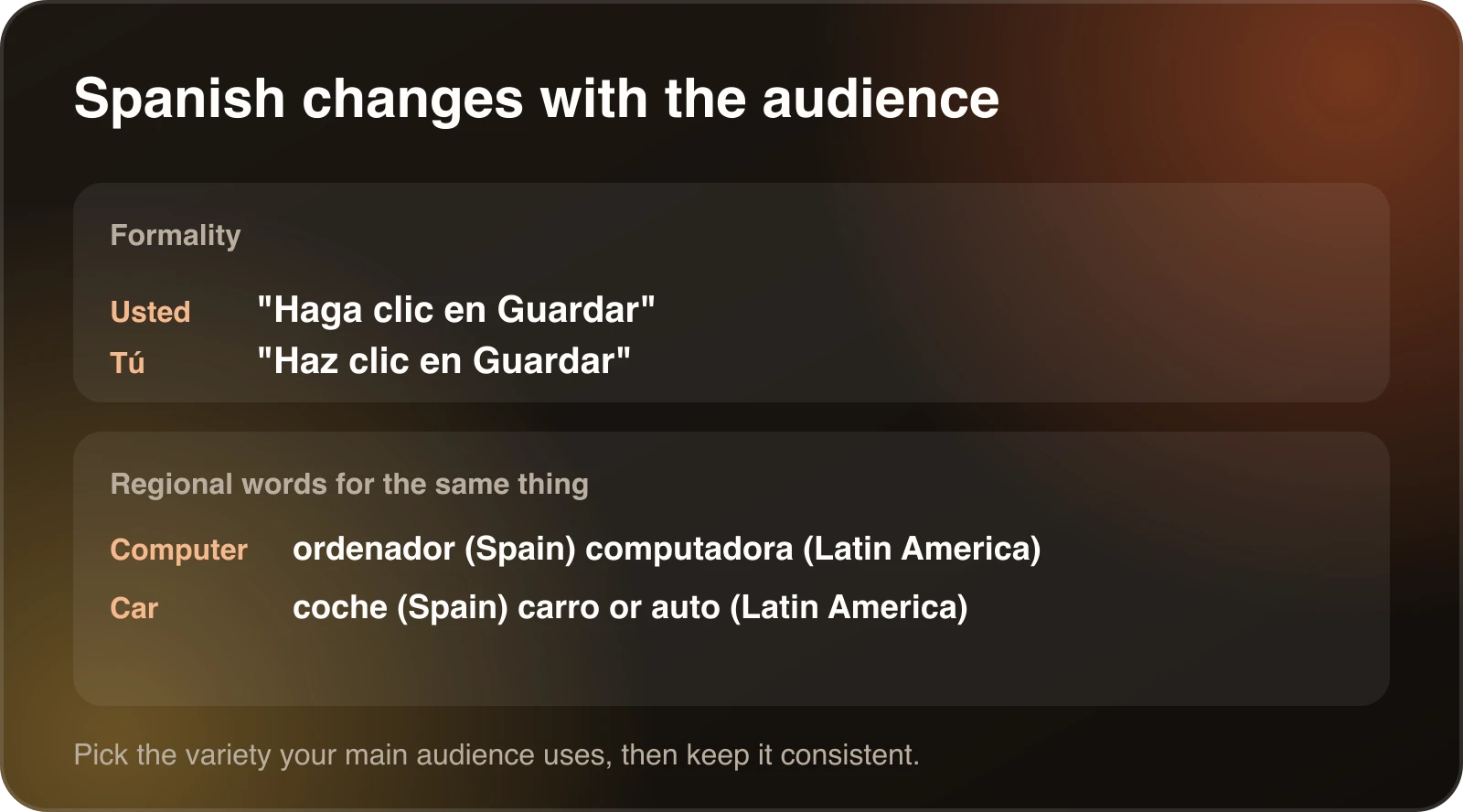
Formality. Spanish has formal and informal ways to address the viewer (usted and tú). A professional tutorial usually suits usted or a neutral phrasing, while a casual vlog can use tú. Pick one and keep it consistent through the whole video.
Regional differences. Spanish in Mexico, Spain, Argentina and elsewhere differs in vocabulary and pronunciation. Decide which audience you are serving and review the result with someone from that audience. If you serve several, treat each as its own review.
Names and terms. Product names, acronyms and technical terms should be consistent. A translation glossary fixes how each term appears, including the ones that should stay in English. Glossaries come with the Creator plan and above.
Spanish for different kinds of video
The same Spanish is not right for every video.
Tutorials and software demos. Viewers follow along on screen, so clarity beats style. Use the exact interface labels people will see. If your product interface is in English, decide whether the dub says the English label or a Spanish translation, and keep that choice consistent. A glossary helps here.
Courses. Students replay lessons and take notes, so terminology has to be stable from the first lesson to the last. A term that changes between week one and week five costs you trust. The guide on localizing online courses covers how to plan this across a whole course.
Marketing and product videos. Tone matters more here. A literal translation of a slogan rarely works. Treat taglines as new writing and ask a native speaker to look at them.
Vlogs and casual channels. Informal Spanish with tú and everyday vocabulary usually fits. Keep slang light, because it dates quickly and varies a lot between countries.
Review the Spanish
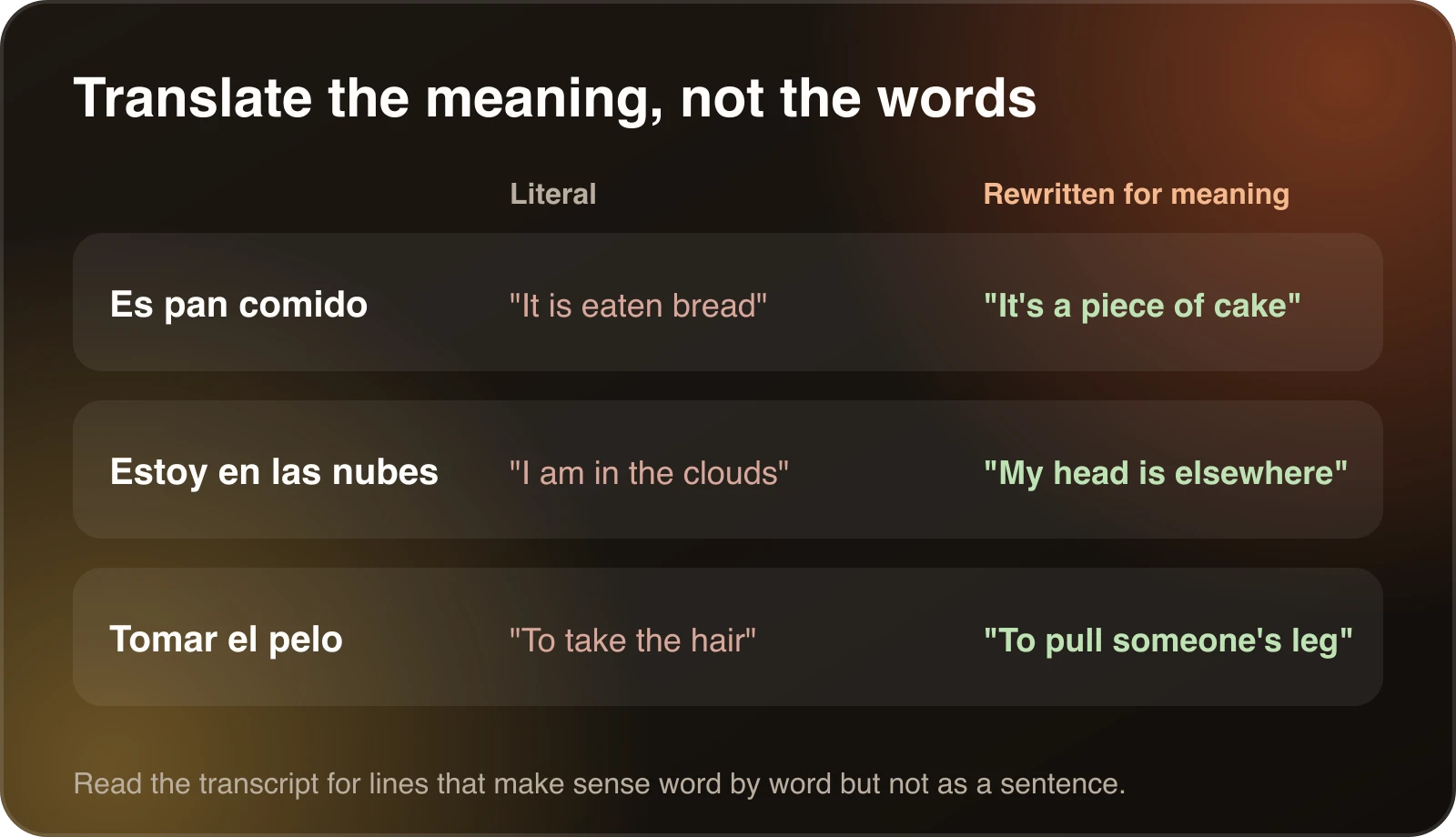
Read the transcript from the top. Check that idioms were rewritten for meaning instead of translated word for word, that numbers and currency are written the way your audience expects, and that the register is consistent. Spend the most time on the first minute, because that is where viewers decide whether to keep watching.
Numbers, dates and units
Small formatting differences are easy to miss and easy to fix.
- Many Spanish-speaking countries use a comma as the decimal separator and a period or space for thousands, so 3.5 is written 3,5. Usage differs between countries, so follow your audience.
- Dates are usually written day, month, year.
- Most of the Spanish-speaking world uses metric units and the 24 hour clock in writing. If your video quotes miles or Fahrenheit, convert them or say both.
- Currency should name the currency. “Dollars” can mean US dollars, Mexican pesos or Argentine pesos depending on who is listening.
When the translated transcript contains numbers, read them out loud. A dub that says a price the wrong way is more noticeable than a slightly stiff sentence.
Spanish subtitles for a Spanish dub
Many viewers like to have text even when they hear a dub. If you publish the dub, consider adding Spanish subtitles from the same transcript. They help in noisy places and for viewers who watch with the sound off, and they give search engines text to index. How to create an SRT file shows the format.
Package the Spanish version
A dubbed video still has English packaging. Translate the title and description, write them for how Spanish speakers search, and make a Spanish version of any thumbnail text. If you publish on YouTube, the YouTube video translator guide covers your options, such as a separate channel or an extra audio track.
Common mistakes in Spanish dubs
- Picking one Spanish and assuming it works everywhere. A Mexican audience and a Spanish audience will notice differences in vocabulary and rhythm.
- Mixing usted and tú within the same video.
- Leaving brand names half translated. Decide which names stay in English and keep them that way.
- Forgetting that the dub is longer. If you only read the transcript, you miss the timing problem. Listen to the dub against the picture.
- Skipping the title and description. A fully dubbed video with an English title is hard for Spanish speakers to find.
Testing before you dub a whole library
If you have many videos, do one first. Choose a representative two minute clip, translate it, and ask a Spanish speaker from your target country to listen. Collect their notes into a glossary and a short style note covering formality and any words to avoid. Then dub the rest with those settings. A few minutes of feedback on one clip usually saves hours of corrections later.
What it costs
Plans start at $5 a month for 10 minutes of dubbing, and each language is a separate dub. See pricing and how much video dubbing costs for how to estimate your own budget.
Quick answers
How long does it take? In Dubtitle, most videos finish in 2 to 10 minutes. Review time depends on the length of the video and how many lines you change.
Do I need a Spanish speaker? For anything public, yes. A native reader catches register and regional problems that a tool will not.
Can I get both subtitles and a dub? Yes, and many viewers like having both. Publish the dub as the audio and add Spanish subtitles from the same transcript.
A short checklist
- Choose subtitles or a dub.
- Pick the Spanish variety your audience uses.
- Translate, then read the Spanish transcript.
- Fix formality, idioms and numbers.
- Add recurring terms to a glossary.
- Translate the title, description and thumbnail text.
Frequently asked questions
How do I translate a video to Spanish?
Transcribe the speech, translate the transcript into Spanish, then choose an output: Spanish subtitles, a voiceover or a full Spanish dub. AI tools can do all of it from one upload. Have a Spanish speaker review the result before you publish.
Can AI dub a video into Spanish?
Yes. Dubtitle supports Spanish among its 84 languages. It transcribes, translates and generates a Spanish voice track, and with voice cloning the voice is modelled on the original speaker.
Is Spanish longer than English when spoken?
Often, yes. Spanish tends to run longer than English for the same meaning, so a dub may need tighter wording or a slightly faster delivery to fit the video.
Which Spanish should I use?
Spanish varies by region in vocabulary, formality and pronunciation. Choose the variety your main audience uses, and have someone from that audience review the first minute.
Should I use subtitles or a dub in Spanish?
Subtitles are quicker and cheaper. A dub keeps viewers watching the picture, which suits tutorials, courses and channel videos. See AI dubbing vs. subtitles to decide.
Table of contents (13)
- Choose subtitles or a dub
- How to translate a video to Spanish with Dubtitle
- What changes in Spanish
- Spanish for different kinds of video
- Review the Spanish
- Numbers, dates and units
- Spanish subtitles for a Spanish dub
- Package the Spanish version
- Common mistakes in Spanish dubs
- Testing before you dub a whole library
- What it costs
- Quick answers
- A short checklist